

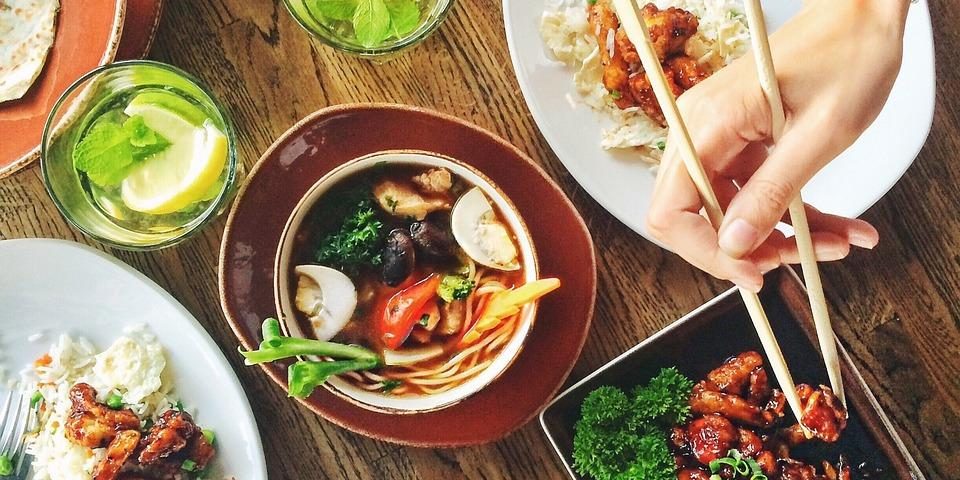
Transport your online audience straight into the delectable world of your culinary delights, right from the comfort of their screens. Harness the power of WordPress, embellished with the strategic use of custom post types and the robust Pods plugin, to create a restaurant menu page that is visually tantalizing and exceptionally operational. The welcoming whiff of steaming pot roast, the seductive swirl of an exquisite Merlot, the bittersweet ecstasy of a creamy Tiramisu – imagine transforming these experiences into a brilliant, effective, easy-to-navigate online catalog of your cuisine. Dive headfirst into our article as we guide you to construct a must-visit digital gourmet haven with an exhaustive, well-structured, and killer restaurant menu page. No culinary jargon, no web development background required—just your passion for food and our guide to WordPress magic. Get ready to serve your audience a feast for their eyes and eventually their taste buds.
Understanding the Essentials of Custom Post Types for Restaurant Menus
If you’re in the restaurant business, your online menu is just as important as the physical one handed out at your establishment. A well-structured, beautifully presented menu can attract more customers and significantly boost your business. One way to handle this online is by utilizing Custom Post Types in your WordPress websites.
Creating a Custom Post Type for your restaurant menu gives you the flexibility to showcase your menu items precisely the way you want. You can categorize them efficiently under different sections like appetizers, main course, desserts, and beverages. Want to highlight your chef’s special? You can easily do that too. Here’s what you need to know:
- Custom Fields: Use custom fields to add specific details to your menu items – description, price, ingredients, calorie count, and more.
- Custom Taxonomies: These are useful for categorizing your menu items. If you want a separate category for ‘Vegetarian’, ’Vegan’, or ‘Gluten-free’, custom taxonomies can help.
- Featured Images: A picture says a thousand words, especially when it comes to food! Flaunt your delicious dishes using the featured images option.
The flexibility and control you get with custom post types can take your online menu presentation to an incredible level, making your restaurant stand out amongst the competition. Remember, a versatile and accessible menu can translate directly into increased sales!
Leveraging the Power of Pods for Enhancing Your WordPress Restaurant Menu
Incorporating Pods, a highly versatile custom post type and taxonomy tool, into your WordPress restaurant menu can elevate its functionality and aesthetic appeal. Ideal for tailoring your restaurant menu based on your unique needs, it offers immense flexibility in managing and displaying different menu elements. With Pods, you can customise dishes, highlight special promotions, and even exemplify your unique food selling points effortlessly.
There are a number of key advantages in leveraging Pods for your restaurant menu on WordPress:
- Flexibility: Pods allow you to incorporate a limitless array of customization options to your menu. You can categorize your food items as per their types, ingredients, prices, or sizes. This gives your customer a seamless browsing experience.
- Efficiency: With Pods, you can not only create different posts for your delicacies but also easily alter or update the details. This element of convenience ensures your online menu is always accurate and up-to-date.
- Visual Appeal: With the help of Pods, you can enhance the photos and descriptions of your dishes, thereby catching your diners’ eyes and boosting the chances of an order.
Incorporating Pods into your dining business’s online space is a smart move, enabling you to optimize your service offerings and place your restaurant at the forefront of the food industry.
Step-by-Step Guide for Building an Impressive Restaurant Menu Page
Creating a visually and economically attractive restaurant menu page can seem like an overwhelming task, but fear not! Grab your favorite apron, dust off your keyboard, and let’s dive deep into the world of online menu designs.
1. Define Your Brand Personality:
Your restaurant menu page should exude your brand’s personality as it’s an extended representation of your restaurant’s aesthetic. Be it minimalist, rustic, classy, or whimsical – your menu page should reflect that.
- Minimalist: Choose a streamlined layout, with clear and concise descriptions.
- Rustic: Opt for a warm color palette and use font styles that mimic handwritten or vintage typography.
- Classy: Go for a black & white or gold scheme, opting for a clean and elegant design.
- Whimsical: Think out of the box with a colorful layout, quirky fonts, and unique food illustrations or images.
2. Clever Categorizing:
Ever been to a restaurant where it takes you more time to navigate through the menu than to eat the food? That’s a restaurant faux pas you want to avoid.
- Group similar items: Club different dishes into broader categories like appetizers, mains, desserts, or beverages.
- Include a search bar: This allows customers to quickly look up their favorite dish.
- Special Menu: Highlight daily specials, seasonal dishes, or the chef’s recommended picks to provide variety and entice foodies to try something new.
Cracking the Code: Optimization Tricks for Your WordPress Restaurant Menu
Stripping down and simplifying your WordPress restaurant menu can be the key to generating customer interest and boosting your restaurant’s online presence. Understanding the mechanics of web design can be quite tricky, particularly if you’re relatively new to WordPress. But there’s no cause for worry — there are several WordPress optimization strategies that can help you streamline your online restaurant menu and improve its functionality.
Firstly, employing the use of eye-catching visuals is a given. They help to provide your potential customer with a palpable sense of the meal they can expect at your restaurant.
- High-resolution photos of best-selling dishes are a must!
- Add a meaningful description of each dish to further paint a picture in the customer’s mind.
Secondly, maintaining a clean layout is equally crucial. Consider using simple fonts and colors to ensure that the menu is easily navigable and readable.
- Too many clashing elements or colours may prove distracting.
- Place items logically, grouping similar dishes together and segregating different categories such as desserts, main courses, and beverages.
Notably, harnessing the power of user reviews can provide social proof to your audience, swaying their decision in favor of making a reservation or placing an order. Remember, potential diners are more likely to trust customer reviews over your restaurant’s own descriptions. Try to encourage satisfied customers to leave a brief positive review or a star rating. This will build customer trust and engagement.
By following these deemed tactics, one can optimize their WordPress restaurant menu to its full potential, increasing user engagement and maximizing sales. Despite some of the complexities of web design, with a bit of patience and practice, you’ll have a functional, visually appealing online menu in no time.
Unfolding the Art of Maintaining and Updating Your WordPress Menu with Pods
Pods provides an expedited way to seamlessly integrate custom types and fields into your WordPress menu without the involvement of code. Embodying an easy-to-use interface, Pods allows you to set up custom post types, taxonomies, fields and much more. It’s like having an extra set of hands on your project without the hassle. In order to keep your WordPress menu up-to-date and well maintained, you need to keep certain practices in mind.
Crafting the Menu with Precision: To start with, a crucial part of the menu update process includes gleaming meticulousness. Whether it’s appending new features, injecting fresh pages or even renaming existing ones, every minute detail counts. Each menu item should accurately convey its role. A vague item not only confuses users but tarnishes the whole user experience.
- Use meaningful titles: Avoid abbreviations or technical jargon that will be a puzzle for users to solve. Be clear and concise.
- Test each item: Post creation, testing serves as the ultimate diagnosis to trace any dormant anomalies.
Consistent Updates: A static menu signifies stagnancy. The digital world evolves at a rapid pace and so should your website’s interface. From removing outdated content to adding upcoming ones, your WordPress menu should be a reflection of the present. Pods provides an efficient platform to keep your menu continually refreshed.
- Regular revision: Scan through the WordPress menu to identify and rectify any errors or outdated elements.
- Feedback: Listen to your users. Their feedback can offer deep insights into improvements and subsequent updates.
In Retrospect
As we wrap up our journey into the dynamic world of WordPress custom post types and the Pods framework, it’s clear that a well-crafted restaurant menu page can significantly elevate your dining establishment’s online presence. By leveraging the robust capabilities of Pods, you can create a visually appealing, user-friendly interface that showcases your culinary offerings in a way that entices and engages potential diners.
Remember, a killer menu page is more than just a list of dishes; it’s a reflection of your brand, a canvas for your creativity, and a vital tool for enhancing the dining experience long before a guest steps through your door. As you embark on this digital transformation, take the time to experiment with layout, design, and functionality to ensure your menu not only informs but also inspires.
In the ever-evolving landscape of the restaurant industry, staying ahead of the curve means embracing innovative solutions. With the tips and techniques outlined in this article, you’re now equipped to build an impressive restaurant menu page that stands out in a crowded market. So go ahead, unleash your creativity, and watch your online presence flourish. Happy building!